
A useful recording starts with a question
Most teams do not need more recordings. They need fewer, better recordings: the sessions that explain why checkout stalled, why onboarding looped, why a user rage-clicked a dead control, or why support keeps seeing the same complaint.
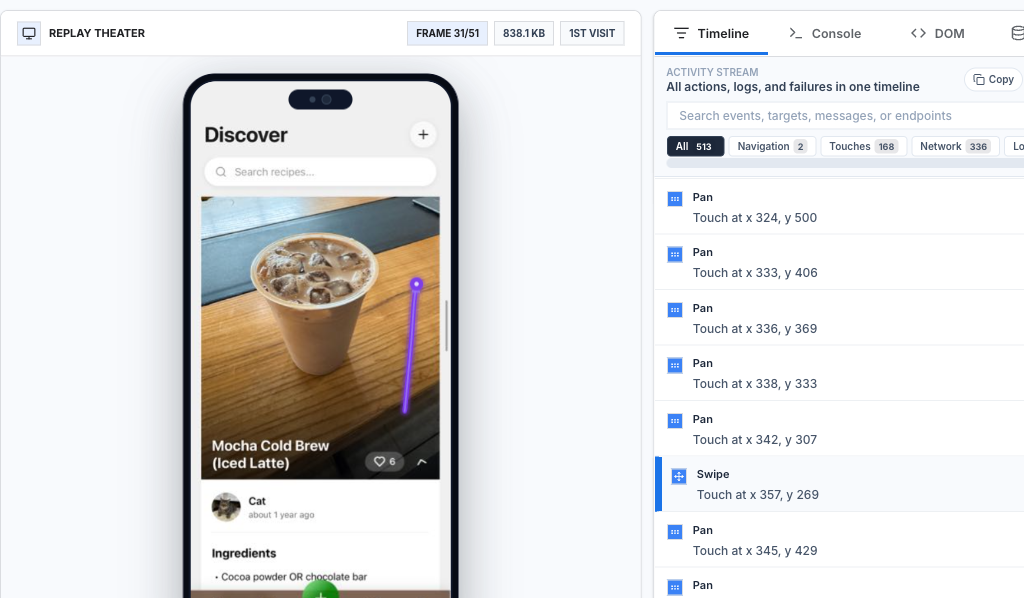
Start with a behavior query instead of opening random clips. A good recorded session includes the path, the intended outcome, the failed or delayed step, and the product or technical signal that made the moment worth watching.
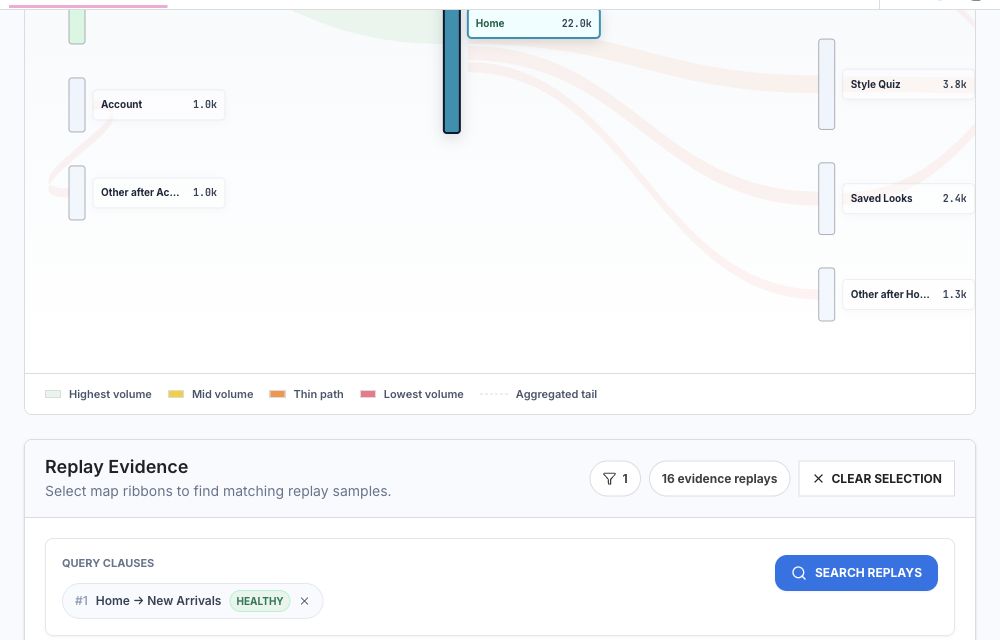
Rejourney keeps replay beside heatmaps, journeys, crashes, ANRs, privacy rules, and network context, so a recording can become evidence another teammate can reopen and verify.
Start with the failure shape
The slow way to use replay is to open the archive and hope a useful recording appears. That turns review into anecdote hunting, and the loudest clip tends to win.
Start with the shape of the failure: users who opened checkout but did not pay, sessions with rage taps on pricing, mobile users who froze during onboarding, or web sessions where a payment request failed. A query gives the review a population before anyone presses play.
- The flow or screen being investigated.
- The event that proves progress or success.
- The request, error, journey branch, or UI state that marks failure.
- The release, platform, segment, or device group that narrows the search.
Let AI build the search, then inspect the rules
Rejourney's AI query builder is useful when it turns a plain-language investigation into filters based on screens, pages, events, metadata, and setup. The value is not mystique. It is speed and consistency.
A developer should be able to type the scenario from a support ticket, inspect the generated filters, and keep the query with the issue. That way someone else can reopen the same search after a fix ships.
- Describe the behavior in product language.
- Review generated rules before trusting the sample.
- Save the query with the issue so the search can be repeated.

Make one replay reproducible
A good replay makes the sequence obvious: where the user entered, what they tried, what changed on screen, and which event or request happened at the same time.
The handoff should include expected behavior, observed behavior, affected platform, release version, relevant event or request, and the smallest reproduction path. If that cannot be written from the recording, the session needs more context.
Use journeys when the failure is path-shaped
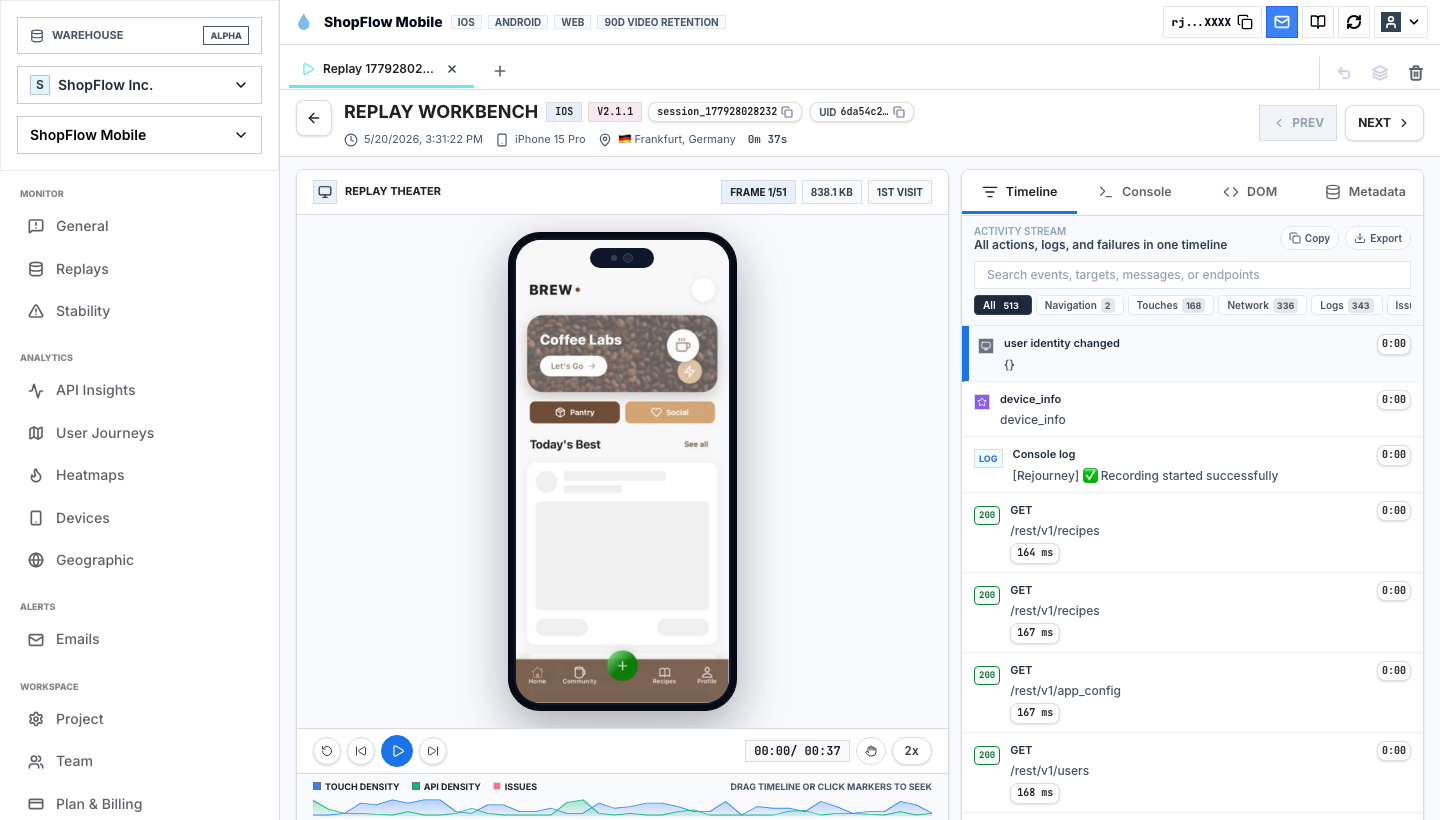
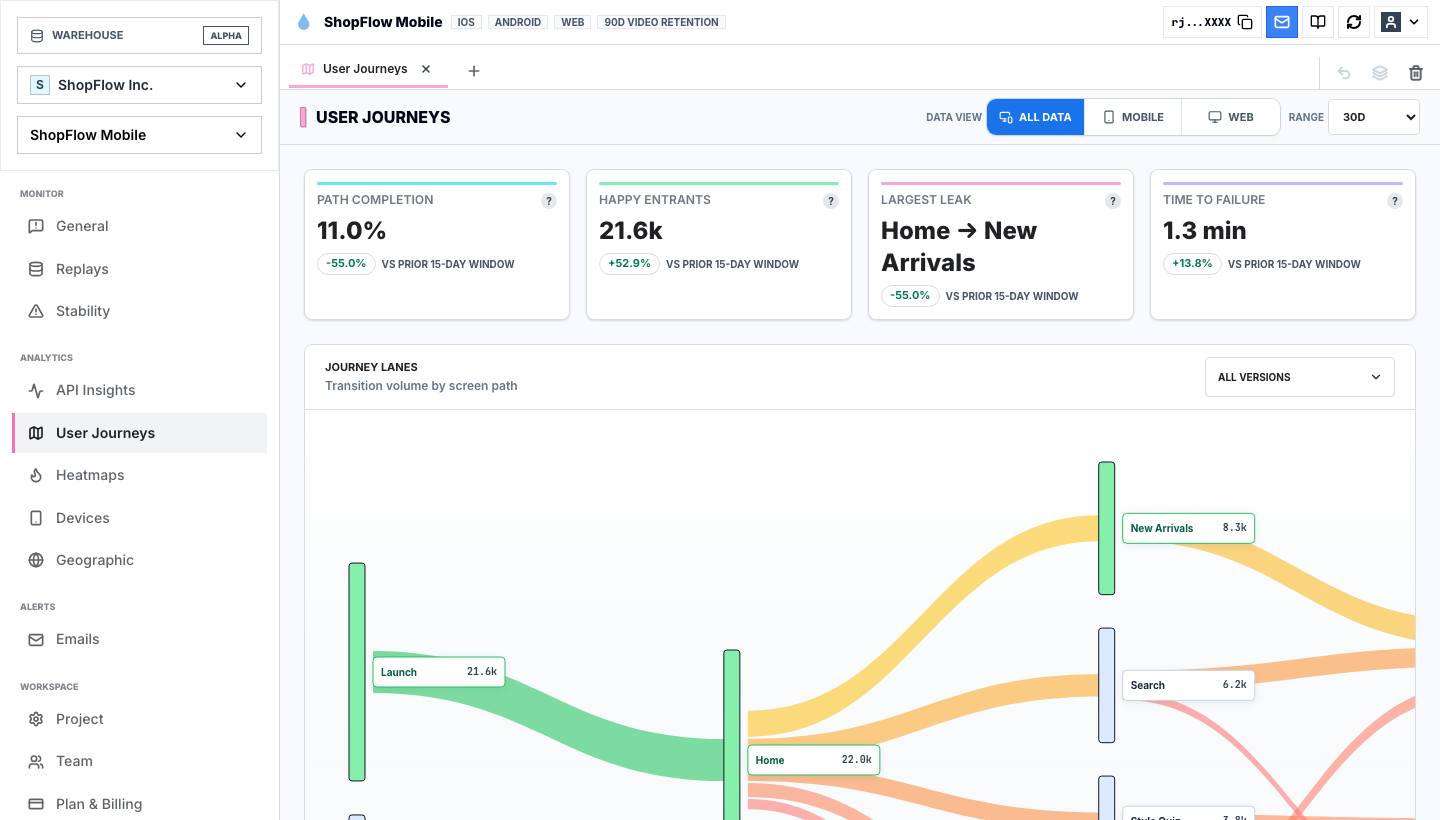
Some failures are not single events. They are paths: home to new arrivals, pricing to checkout, search to product detail, settings to cancel, onboarding to a dead end. In those cases, the journey map is a better starting point than a replay list.
Selecting a journey ribbon in Rejourney builds a replay query from that path and shows matching sessions. That gives engineering the sessions behind the route instead of asking someone to guess which clips belong together.
- Select the transition or path that looks suspicious.
- Open matched sessions from the same route and release.
- Compare healthy paths with degraded or high-drop-off paths before deciding priority.
Decide whether the clip matters
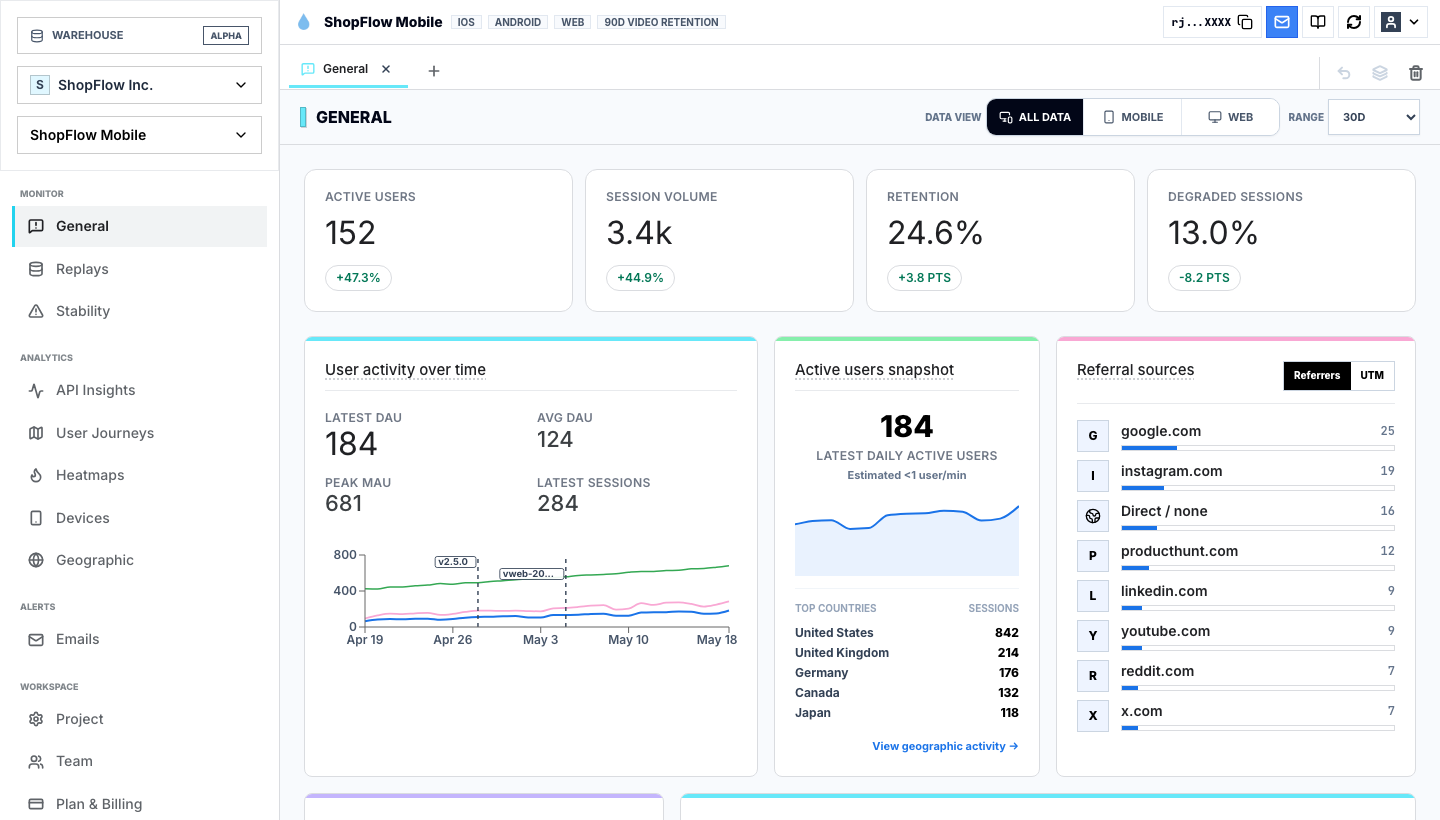
One recording is evidence, not a trend. After the first replay explains the symptom, use journeys, heatmaps, and analytics to see whether the behavior repeats across users, devices, versions, referrers, or regions.
That keeps the team from overreacting to one strange session while still giving engineering a concrete path to debug. The clip explains what happened. The surrounding views explain whether it deserves work this week.
Capture the context the next reviewer will need
The screen is only the visual layer. A useful session travels with structured context so another reviewer can search for it, compare it, and understand the likely cause without asking the first reviewer to narrate the recording.
At minimum, capture route or screen names, product events, release version, platform, device, browser, important metadata, failed requests, console output, crashes, ANRs, and privacy masking state.
- Route or screen name.
- Release, app version, browser, OS, and device.
- Product events that mark progress or abandonment.
- Failed requests, console errors, crashes, ANRs, rage taps, or dead taps.
- Masking rules for private UI and user-entered data.
Implementation notes
These are the checks another engineer should be able to use before trusting the feature in production.
- Capture route changes, core product events, failed requests, console logs, release version, and user or account identifiers where allowed.
- Add privacy masking before broad rollout; do not depend on reviewers remembering what not to inspect.
- Test replay on the most important happy path and at least one known failure path.
- Document how support and product should link sessions in tickets so engineering receives the same evidence every time.
When to use a lighter signal
- Your main problem is warehouse modeling, not user-session investigation.
- Your team already has a trusted replay workflow tied to support and engineering tickets.
- You do not need mobile app context, crash context, or request-level debugging next to replay.
Questions teams usually ask
How do I record user sessions without guessing?
Define the behavior first, then capture replay with route, event, request, device, release, and privacy context. Rejourney lets teams search for that behavior and inspect the matching session with heatmaps, journeys, and stability signals nearby.
Can recorded sessions improve user experience?
Yes, when the team uses recordings to find the moment expectation breaks. A replay of a failed signup, slow checkout, or confusing settings screen is much more useful when journeys and heatmaps show whether the same pattern repeats.
Can developers use Rejourney for bugs?
Yes. Developers can inspect replay context alongside crashes, ANRs, device details, API failures, and user events while keeping sensitive data masked.
Related reading
- Pricing: See Rejourney's fixed-price plans and included platform limits.
- Live demo: Open the demo dashboard and inspect the replay, heatmap, journey, and stability views.
- React Native SDK: Install mobile session replay for React Native and Expo apps.
- Web SDK: Add browser session replay, analytics, and network capture to a web app.