
The short version
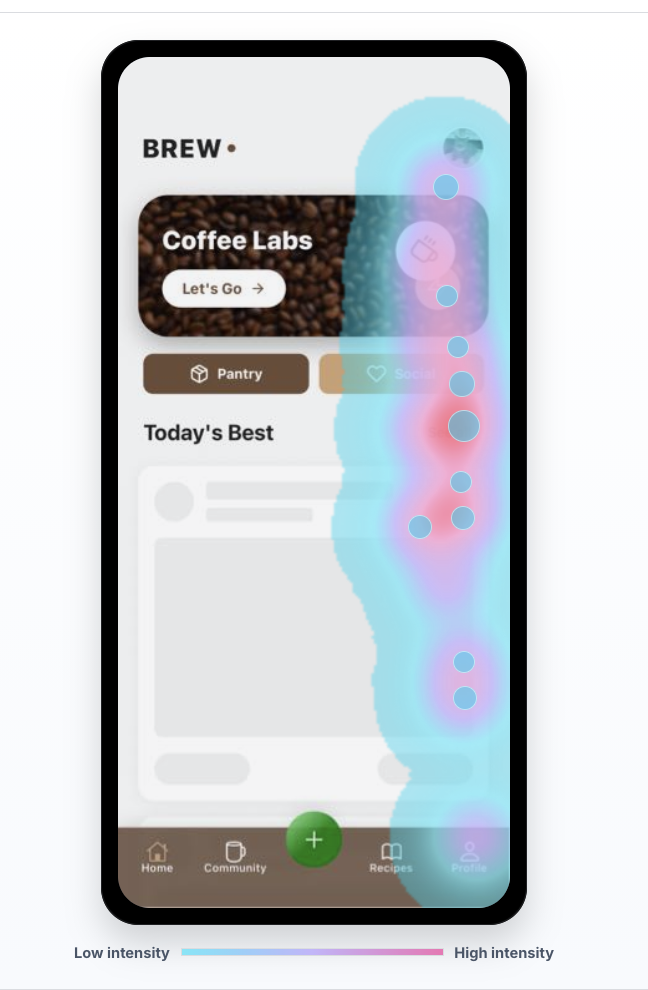
Choose Rejourney when heatmaps and recordings need replay, journeys, mobile context, and technical evidence in the same workflow.
- Heatmaps + replay
- Journeys + analytics
- Mobile + stability context
Why consider Rejourney over Hotjar?
Hotjar frames Observe around heatmaps and recordings, with Ask and Engage for surveys, feedback, user interviews, and user tests. That is useful when a website team wants classic qualitative UX research tools.
Rejourney is built for product teams that need the session, heatmap, journey, metric, crash, and API context on the same investigation path.
If your team is comparing Hotjar alternatives because recordings alone are not enough, Rejourney keeps replay close to product analytics, mobile context, and technical evidence.
Decision checklist
Treat this as a buying conversation, not a winner-take-all scorecard. The right tool depends on the job your team needs the comparison page to do.
Choose Rejourney when
- Heatmaps and recordings need to connect to journeys, product analytics, mobile replay, and technical evidence.
- Your app friction can come from UI state, device behavior, crashes, ANRs, failed requests, or backend delays.
- Product, design, support, and engineering need to work from the same evidence.
- You need more than website feedback widgets, surveys, and classic marketing-page behavior research.
Choose Hotjar if...
- You mainly need website heatmaps, recordings, surveys, feedback widgets, and user interviews.
- Your team already uses Hotjar as a lightweight research layer on marketing pages.
- You do not need mobile app replay, crash context, ANRs, API context, or engineering evidence beside sessions.
Checklist comparison: Rejourney and Hotjar
Use this table as a starting point, then verify Hotjar's current packaging and limits against the official source before buying.
Where the tools differ
Core job
Rejourney: Replay-first analytics for product, support, design, and engineering teams that need behavior plus technical context.
Hotjar: Hotjar is strongest as a website behavior research product with heatmaps, recordings, surveys, feedback, and user research products.
From symptom to cause
Rejourney: Connects heatmaps to session replay, journeys, product analytics, crashes, ANRs, device context, and API evidence.
Hotjar: Best to evaluate when the main goal is website heatmaps, recordings, and feedback workflows rather than mobile and engineering triage.
Product surface
Rejourney: Designed for web and mobile apps where friction can come from UI, device, app version, crash, network, or backend behavior.
Hotjar: A strong fit for teams that want qualitative website insight and do not need the same depth of mobile app or technical context.
Pricing comparison
Hotjar publishes product and plan packaging for Observe, Ask, and Engage. Rejourney is positioned for teams that want heatmaps and replay connected to product analytics, mobile evidence, crashes, API context, unlimited events, analytics retention, projects, and team access.
Official facts to verify
- Hotjar's pricing page says teams can mix and match products and always get access to the Basic plan on all products.
- Hotjar lists Observe as Heatmaps & Recordings, with Basic at $0 and Plus shown at $39 when billed annually at review time.
- Hotjar's Observe feature table lists items such as funnels, trends, JavaScript error filtering, Google Analytics filtering, Jira, Slack, Microsoft Teams, Webhooks, and Hotjar API in its plan comparison, so teams should verify which plan gates the exact workflow they need.
Rejourney model
- Unlimited events so product analytics does not get punished for instrumenting more detail.
- Unlimited analytics data retention for long-horizon product, support, and release analysis.
- Unlimited team members and projects so PM, design, engineering, and support can use the same workspace.
- Replay, heatmaps, journeys, crash context, API context, and product analytics in one dashboard.
Questions teams usually ask
Is Rejourney a Hotjar alternative?
Yes. Rejourney is a Hotjar alternative for teams that want heatmaps and session replay plus journeys, product analytics, mobile replay, crash context, and API evidence.
When is Hotjar a better fit?
Hotjar can be a better fit when the team mainly needs website heatmaps, recordings, surveys, feedback widgets, and user interviews.
Why choose Rejourney over Hotjar?
Choose Rejourney when the team needs to connect visual behavior to replay, journeys, retention, mobile app context, errors, crashes, ANRs, and backend or API issues.
Related reading
- Pricing: See Rejourney's fixed-price plans and included platform limits.
- Live demo: Open the demo dashboard and inspect the replay, heatmap, journey, and stability views.
- Web session replay: See how Rejourney records browser behavior with product and network context.
- Record user sessions: See how to record user sessions with replay, privacy controls, and product context.