
The short version
Choose Rejourney when replay needs to explain product behavior, journeys, heatmaps, and API friction, not technical depth of issues.
- Replay + product analytics
- Heatmaps + journeys
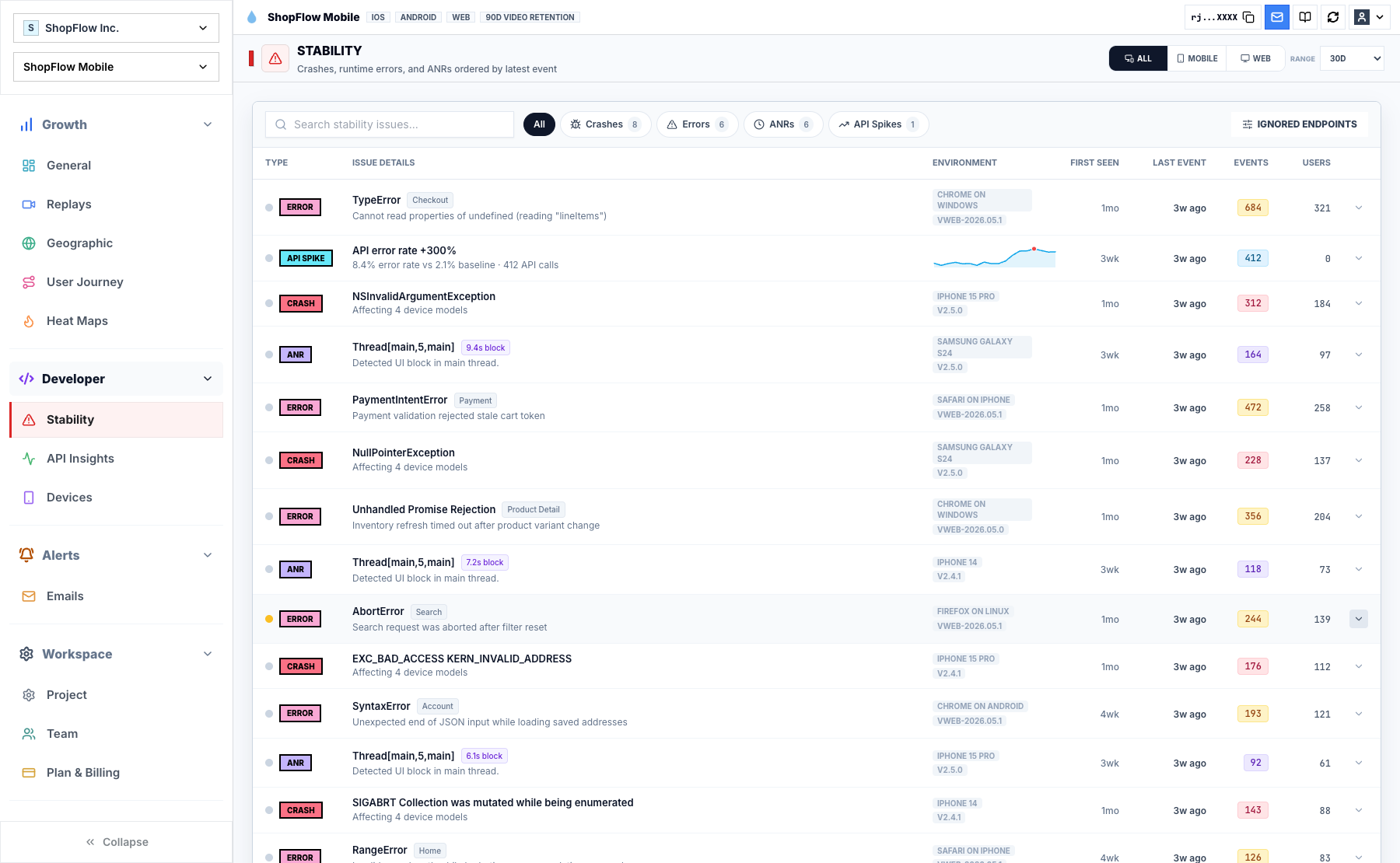
- Crash + API context
Why consider Rejourney over Sentry Session Replay?
Sentry's pricing and billing docs center on developer monitoring: errors, tracing, logs, replays, monitors, profiling, and attachments. That is the right center of gravity when engineering diagnostics are the main job.
Rejourney connects replay with product analytics, heatmaps, journeys, crashes, ANRs, network context, and team collaboration. Support, product, design, and engineering can work from the same session instead of passing evidence between tools.
If replay needs to explain both bugs and behavior, Rejourney keeps the investigation focused while leaving events, analytics retention, projects, and team members open.
Decision checklist
Treat this as a buying conversation, not a winner-take-all scorecard. The right tool depends on the job your team needs the comparison page to do.
Choose Rejourney when
- The problem is user behavior as much as developer diagnostics.
- You need replay for confusing flows, hesitation, drop-off, and support escalations where no exception fired.
- Product, design, support, and engineering all need to inspect the same session.
- Crashes and ANRs should sit beside journeys, heatmaps, product analytics, and API context.
Choose Sentry Session Replay if...
- Your main need is exception monitoring and developer error triage.
- Your team already standardizes on Sentry for alerting and issue workflows.
- You want replay primarily as an attachment to errors rather than as a product analytics workflow.
Checklist comparison: Rejourney and Sentry Session Replay
Use this table as a starting point, then verify Sentry Session Replay's current packaging and limits against the official source before buying.
Where the tools differ
Primary workflow
Rejourney: Starts from user behavior and connects replay to journeys, heatmaps, crashes, ANRs, network context, and product analytics.
Sentry Session Replay: Sentry's public pricing and docs center the product around developer monitoring categories such as errors, tracing, logs, replays, monitors, profiling, and attachments.
Non-error friction
Rejourney: Designed to help product and support teams investigate hesitation, confusing screens, drop-off, and UX friction even when no exception fired.
Sentry Session Replay: Best to evaluate when replay is mainly needed to support engineering diagnostics and issue triage.
Audience
Rejourney: Built for PMs, designers, support, and engineers to share the same session evidence.
Sentry Session Replay: A stronger fit when the organization already standardizes on Sentry for alerting, exception tracking, and developer issue workflows.
Pricing comparison
Sentry documents event-volume billing across several data categories, including replays. Rejourney is positioned for replay and analytics teams that want simple included limits across events, retention, projects, and seats.
Official facts to verify
- Sentry's pricing page lists a free Developer plan for one user, Team at $26/mo, Business at $80/mo, and Enterprise as custom pricing when billed annually with default pre-paid data.
- Sentry's pricing docs say each paid plan includes monthly volume for 50K errors, 5GB logs, 5M spans, 50 replays, monitors, size analysis builds, and 1GB attachments.
- Sentry's docs list replay pricing by replay volume after the included 50 replays, with separate reserved and pay-as-you-go rates.
Rejourney model
- Unlimited events so product analytics does not get punished for instrumenting more detail.
- Unlimited analytics data retention for long-horizon product, support, and release analysis.
- Unlimited team members and projects so PM, design, engineering, and support can use the same workspace.
- Replay, heatmaps, journeys, crash context, API context, and product analytics in one dashboard.
Questions teams usually ask
Is Rejourney a Sentry alternative?
Rejourney can replace or complement Sentry when your priority is replay-led product analytics, mobile UX investigation, heatmaps, journeys, and crash context.
Does Rejourney include crash context?
Yes. Rejourney includes crash and ANR context alongside replay, device details, events, and network evidence.
When should I keep Sentry?
Keep Sentry if your primary workflow is exception monitoring. Use Rejourney when you need product behavior and replay context beyond errors.
Related reading
- Pricing: See Rejourney's fixed-price plans and included platform limits.
- Live demo: Open the demo dashboard and inspect the replay, heatmap, journey, and stability views.
- Web session replay: See how Rejourney records browser behavior with product and network context.
- Record user sessions: See how to record user sessions with replay, privacy controls, and product context.